



Downloads

How to downloadpodcastson iPhone.

One episode, a whole show, or a playlist, so it plays without a connection.

Download on the App Store

Free. No subscription needed. iPhone and Mac.

1. Download one episode.

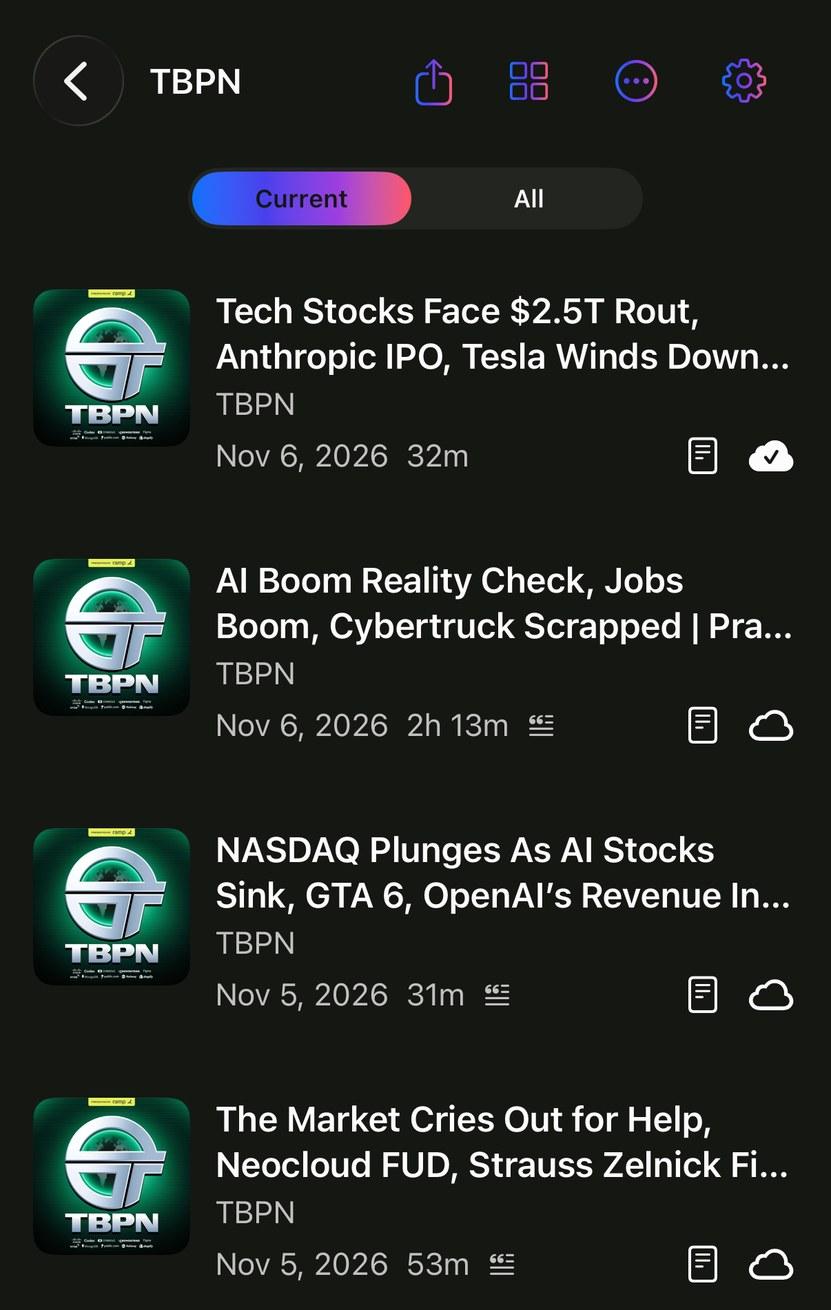
Tap the cloud on the right of any episode. It fills as the episode downloads and shows a tick when it is on your phone. You can also press and hold the episode and choose Download.

Video episodes have no cloud: they always stream.

  • An empty cloudThe episode is not on your device. It streams when you press play.
  • A cloud filling, or blinkingIt is downloading now. The fill is how far along it is.
  • A filled cloud with a tickIt is on your device and plays without a connection.
TBPN in Parasocial on iPhone: the top episode downloaded, with a tick in its cloud, and the episodes below it with empty clouds.

2. Download every new episode of a show.

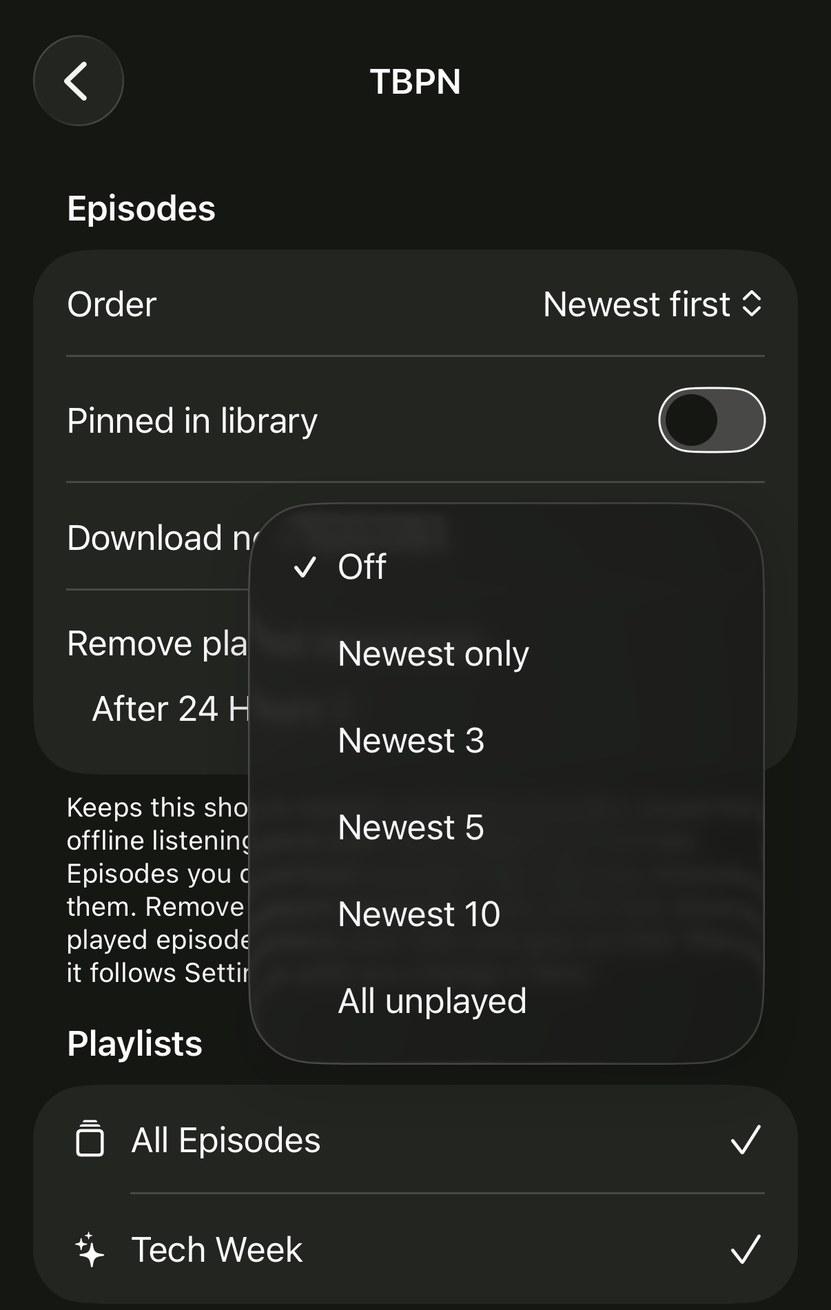
Open the show and tap the gear. Under Episodes, set Download new episodes. Newest 3 keeps the three latest unplayed episodes on your phone, and saves each new one as it comes out.

  • The choicesOff, Newest only, Newest 3, Newest 5, Newest 10, All unplayed.
  • Your own downloadsEpisodes you download yourself stay until you remove them.
A show's settings in Parasocial with the Download new episodes menu open: Off, Newest only, Newest 3, Newest 5, Newest 10 and All unplayed.

3. Download a playlist.

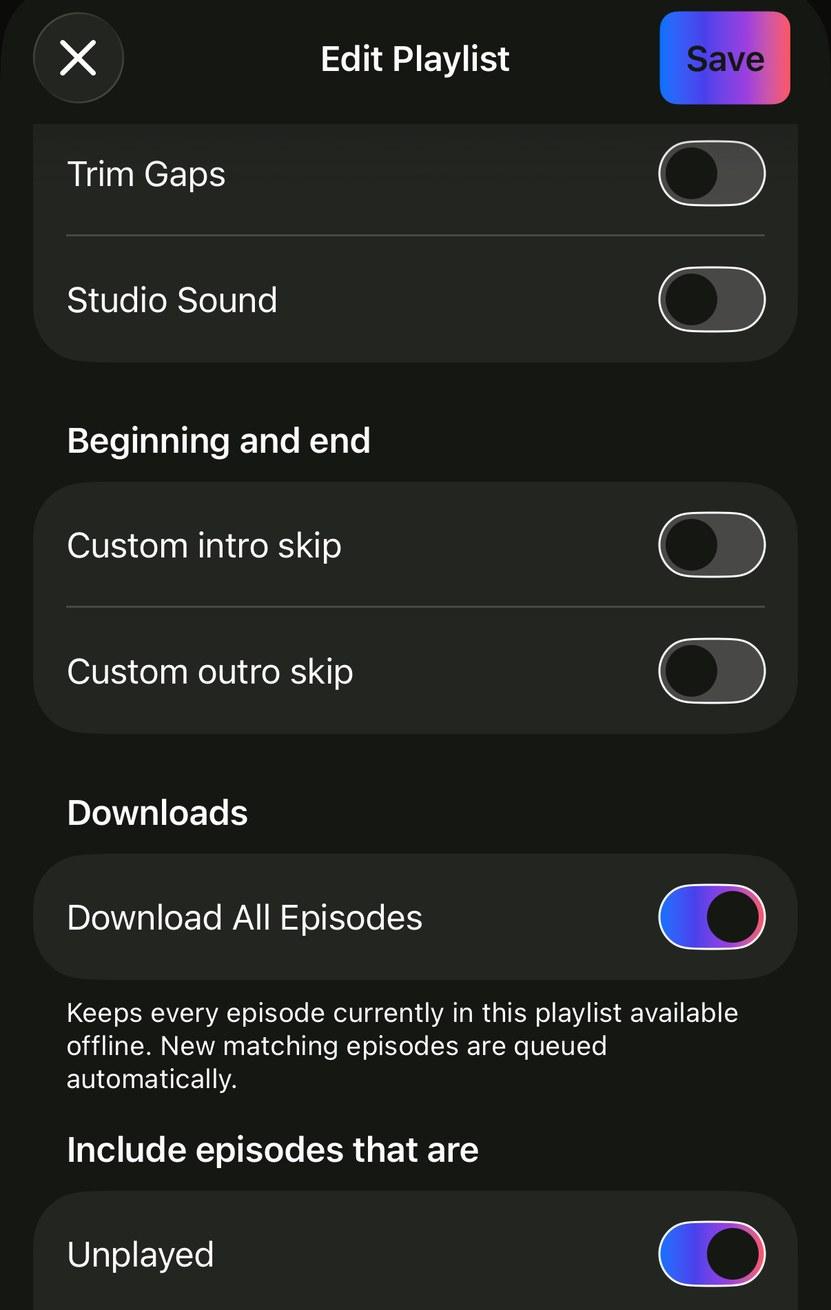
Open the playlist, tap the ..., and choose Edit Playlist. Under Downloads, switch on Download All Episodes. Everything in the playlist stays on your phone, and new episodes download as they join it.

Edit Playlist in Parasocial, with Download All Episodes switched on under Downloads.

4. Choose the default, and Wi-Fi only.

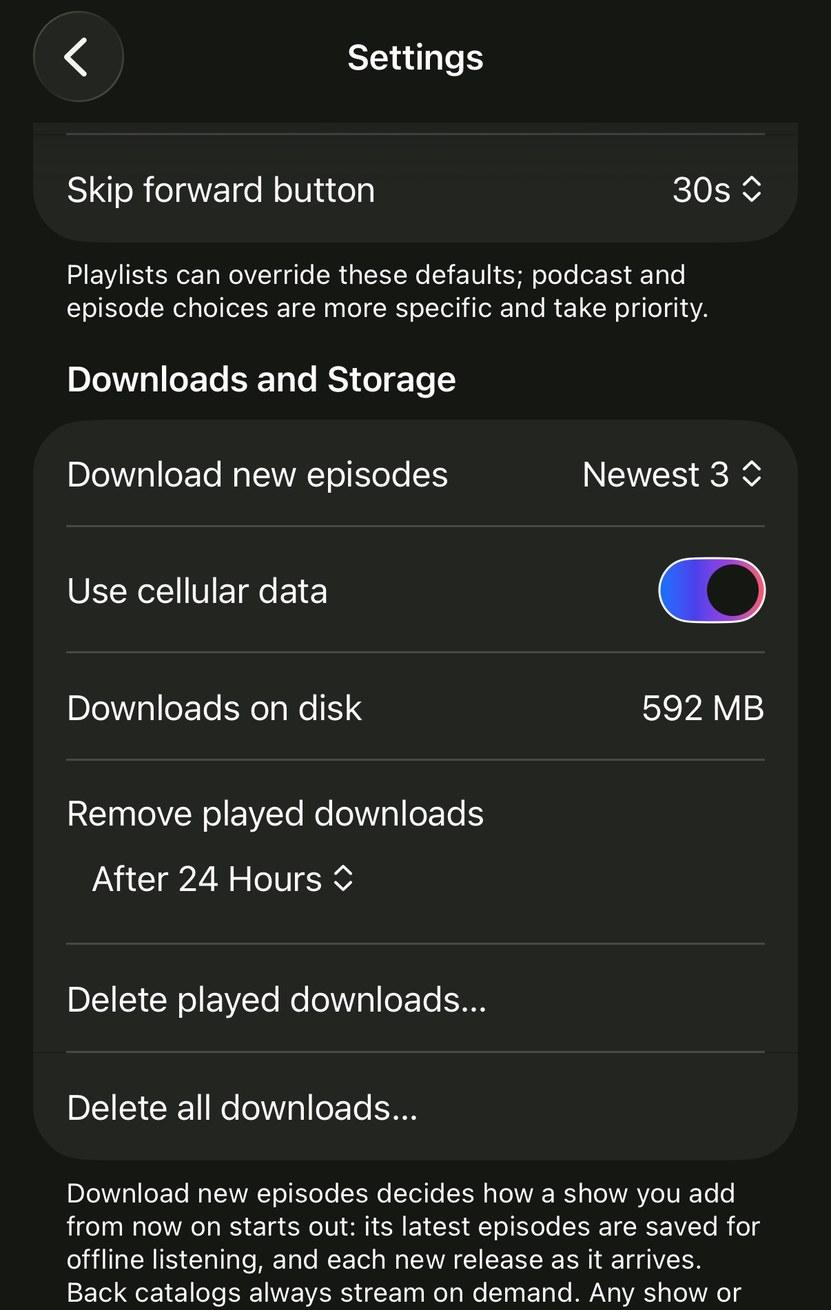
Settings, then Downloads and Storage. Download new episodes sets how each show you add from now on starts out. Turn off Use cellular data and downloads wait for Wi-Fi.

Settings in Parasocial, Downloads and Storage: Download new episodes set to Newest 3, Use cellular data, Downloads on disk, and Remove played downloads.

5. Remove played downloads.

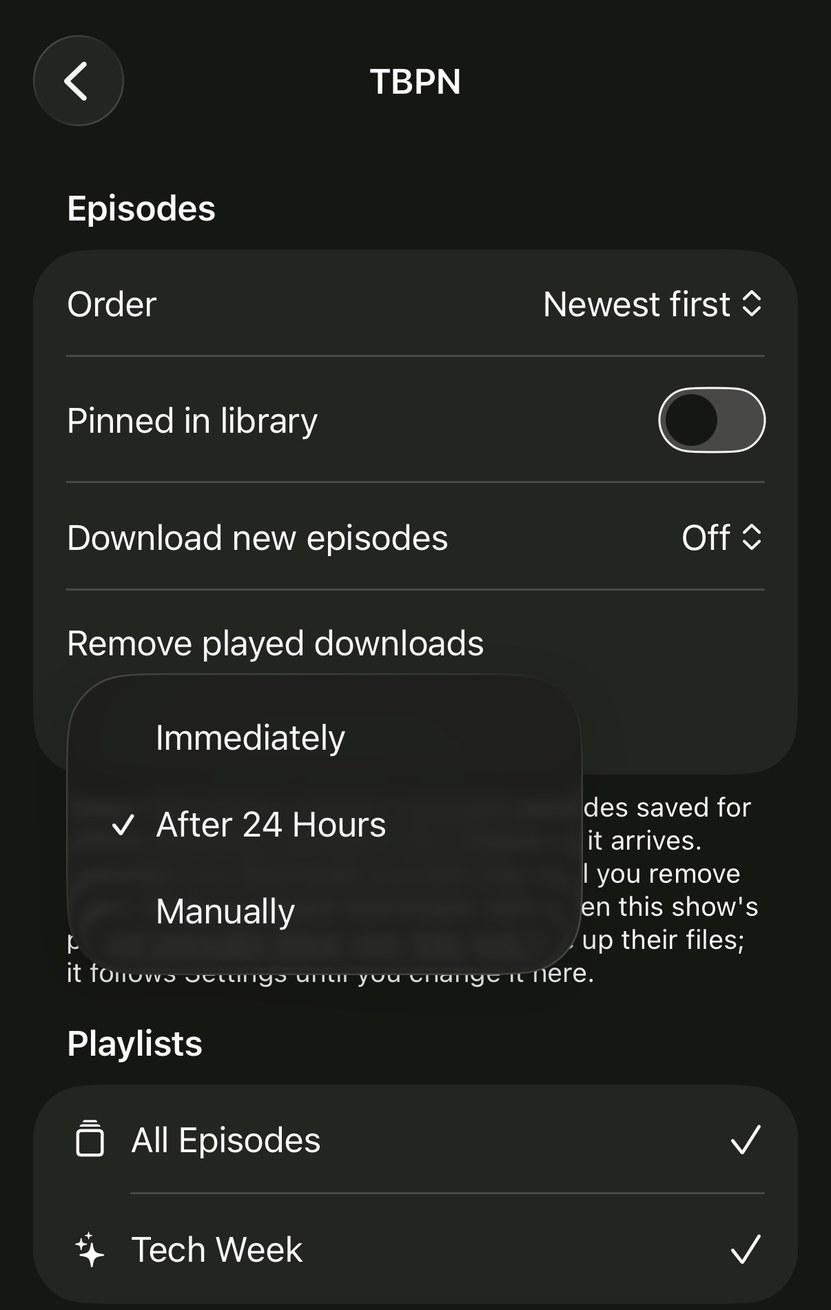
Settings, then Downloads and Storage, then Remove played downloads.A show can have its own setting under its gear, and a show’s own choice beats the one in Settings.

  • ImmediatelyIt leaves your lists the second it ends.
  • After 24 HoursThe default. A day to find it again, then it goes.
  • ManuallyIt stays until you remove it yourself.
  • One at a timeTap a filled cloud and choose Remove Download. The episode stays and streams when you play it.
A show's settings in Parasocial with the Remove played downloads menu open: Immediately, After 24 Hours, and Manually.

6. See how much space downloads use.

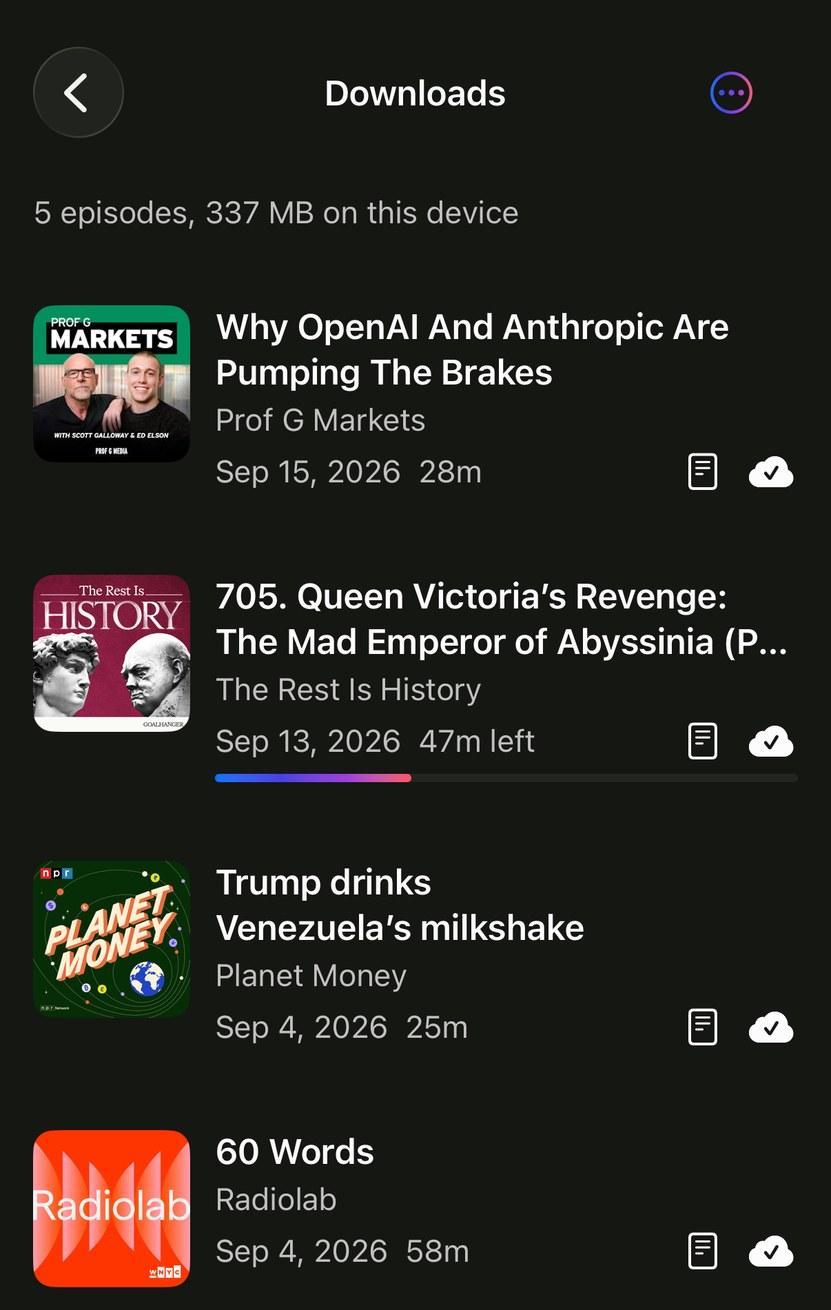
Library, then Downloads. Every file on the device, newest first, with the total size at the top. The ... in the corner deletes played downloads or all of them.

More on downloads and everything else in the guide.

The Downloads page in Parasocial: 5 episodes, 337 MB on this device.

Get Parasocial.

Free on iPhone and Mac.

Download on the App Store